Help & guides
The word bank
Tap or narrow to answer while a word is new, then hide the bank to prove you know it.
The word bank is the list of answers for the current session: on a phone, in the space where the keyboard goes; on a computer, under the card. It’s there to help while words are new: you recognize the answer before you can produce it.
Use it
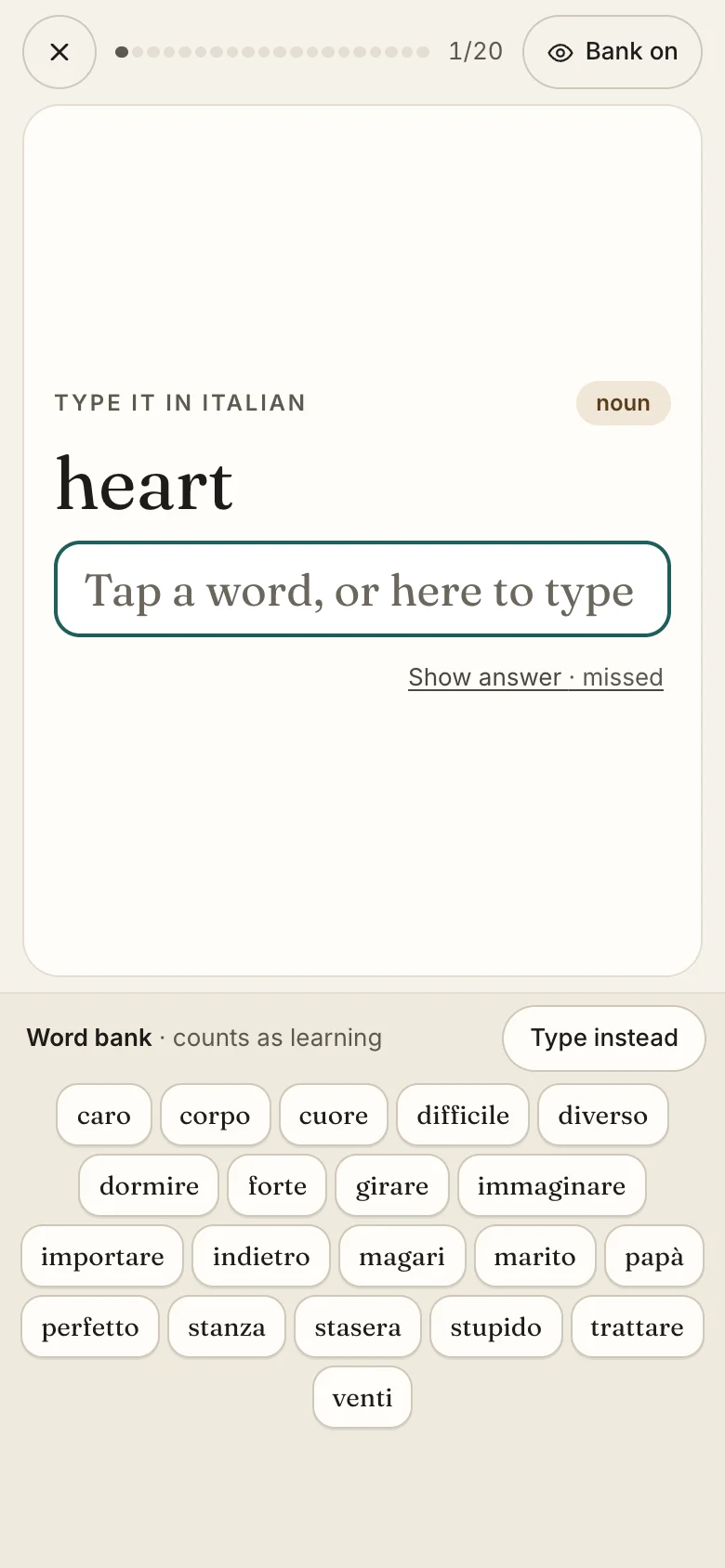
- The session’s progress.
- The prompt.
- Bank on: tap to turn the bank off and answer from memory.
- Tap any word in the bank to answer with it.
- Type instead turns the bank off and brings up the keyboard. Tapping the answer box does the same.
- Show the answer, if you’re stuck. It counts as missed.
On a phone, the bank and the keyboard take turns at the bottom of the screen: while you have a word for every answer to tap, there’s no reason to type, so choosing to type turns the bank off.
Narrow it by typing (on a computer)
Start typing and the bank keeps only the words that match. Accents don’t matter here: typing citta finds città.
- Click any word in the bank to answer with it.
- When one word is left, it’s highlighted: press Enter to choose it.
- On a narrow window, the matching words also show in a strip right under the answer box, so they stay in view.
Hide it to make words known
An answer with the bank showing counts as learning: it’s real practice, and the word comes back in your reviews, but recognizing a word isn’t the same as knowing it. A word becomes known only once you’ve typed it right with the bank hidden.
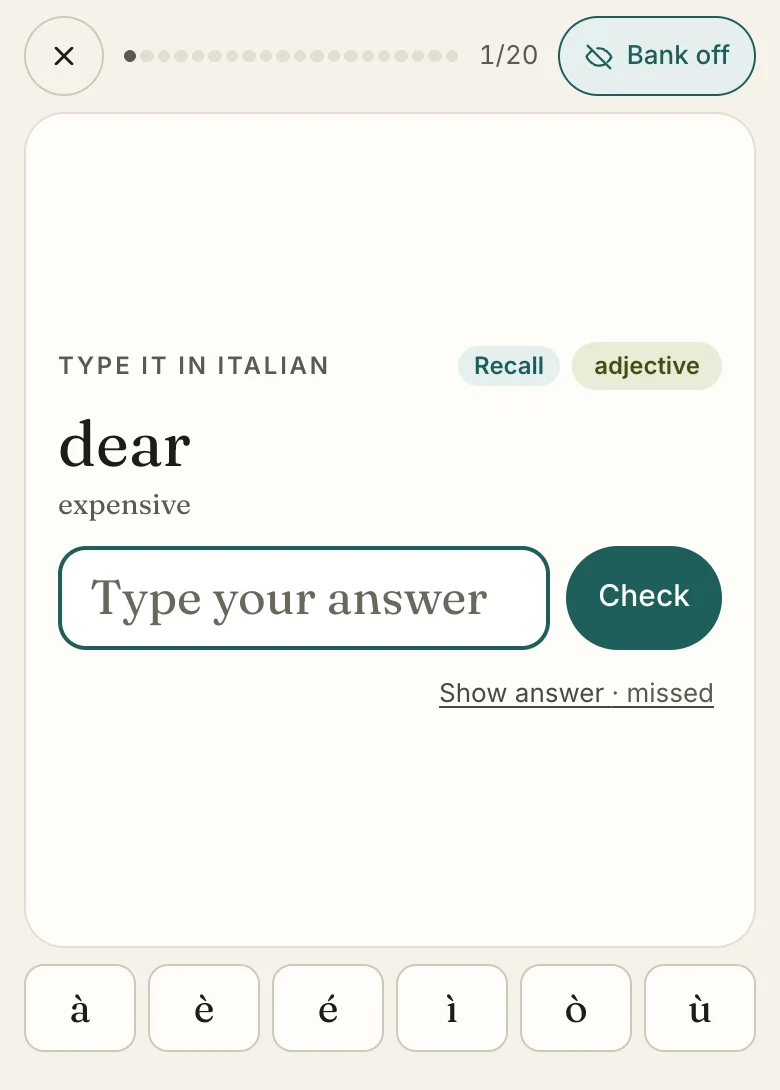
- Recall: the bank is off, so this answer can count toward known.
- Accented letters, to tap into your answer. On a phone they sit just above the keyboard.
- Bank off: tap to bring the bank back, any time during the session. On a computer, it’s Show word bank.
Start every session with it hidden
In your account, set Word bank to Hidden and every session starts without it. You can still show it mid-session. The Words to watch deck always starts with it hidden.
How it affects your schedule
Behind the scenes, an answer with the bank showing is treated like a hard one: the word comes back sooner than if you’d typed it from memory. See Daily reviews.