Help & guides
Your Home screen
What each part of Home is for, and how to get around the app on a computer and on a phone.
Home is where every day starts: what’s due, what’s next, and how you’re doing.

- Today’s review: today’s share of the words due. Start here each day.
- Continue the path: your current batch of 20 new words, and how many you know.
- More ways to practice: decks, verb drills, all your words, and the grammar guides.
- Your map: one tile for each of the 1,000 words, most used first, colored by how well you know it.
- Get the app: install 1000 Words on this device. It only shows where your browser can install it.
- Help & guides.
- Your account: plan, settings, and signing out.
Today’s review
The number is today’s share of your daily review goal (30 words unless you change it in Account), the words you’re closest to forgetting first, with the first few named. Once it’s done the card says Done for today, and the rest wait for the coming days. When nothing is due, it says you’re all caught up. See Daily reviews.
Continue the path
The batch you’re on, which stage it belongs to, and the next few new words. Learn new words opens the batch so you can choose how to practice it. See A study session and The path, stages and packs.
The map and its legend
Every tile is a word: gray is new, pale teal learning, teal known and purple mastered. Under the map, each step shows how many words are on it and what moves a word up. Known and mastered explains each step.
The cards on the right
- Your week: words newly known in the last 7 days, how many answers, and how many days you studied. Opens Your week.
- Words to watch: the words you’ve missed most in the last 30 days, with a button to practice just those. See Decks.
- Themed packs appear here once you’ve finished stage 2.
On a phone
On a phone, the menu moves to a bar at the bottom of the screen, and the top bar keeps just the essentials.
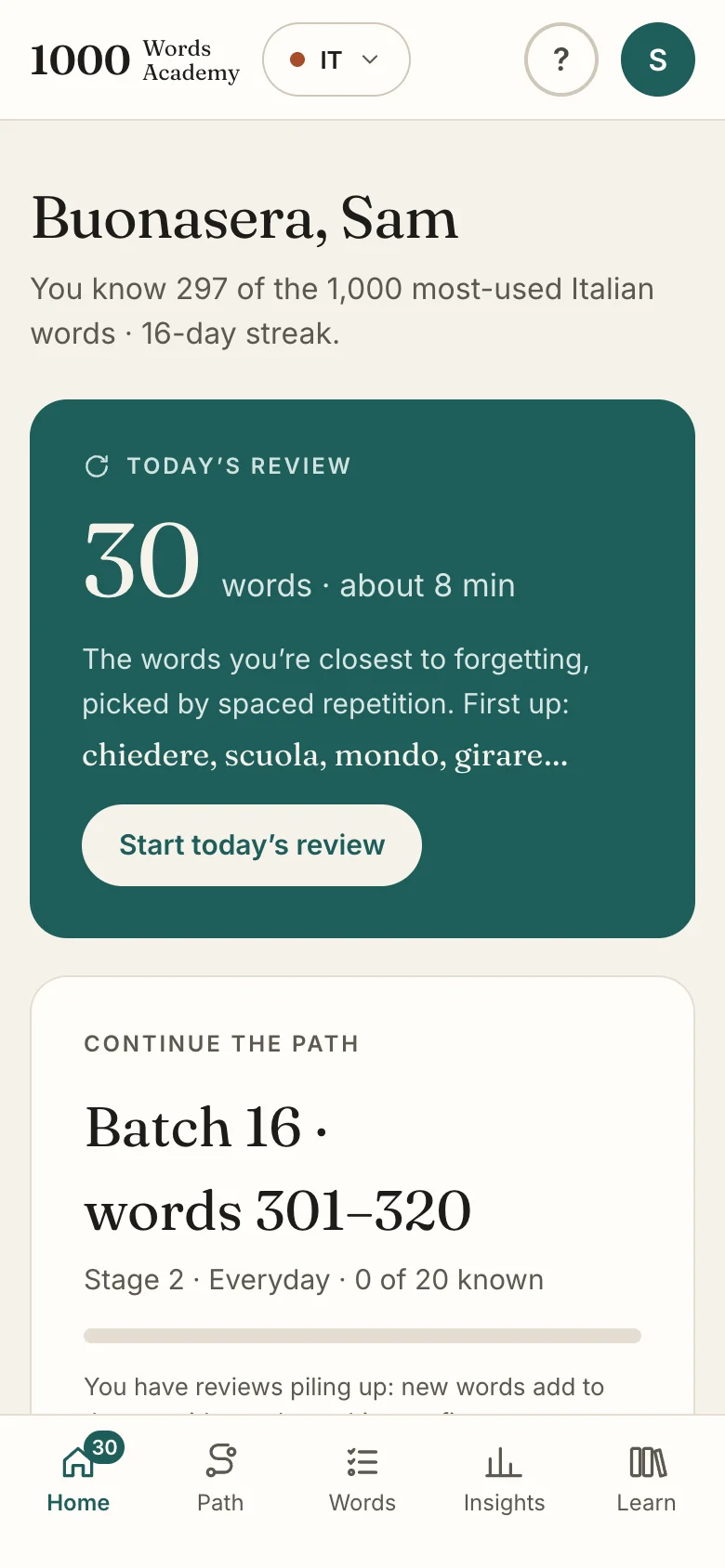
- The language you’re studying (IT or ES). Tap to switch.
- Help & guides.
- Your account.
- Today’s review, first on the page.
- The bottom bar: Home (with the number of reviews left today), Path, Words, Insights and Learn, the free library.
Where things are
| Tab | What’s there |
|---|---|
| Home | Today’s review, your next batch, your map |
| Path | Every batch in order, plus Decks and Drills |
| Words | Every word, with its status and history |
| Insights | Charts of your progress, and Your week |
| Learn | The public library: word lists, verb tables, grammar and weekly words |